
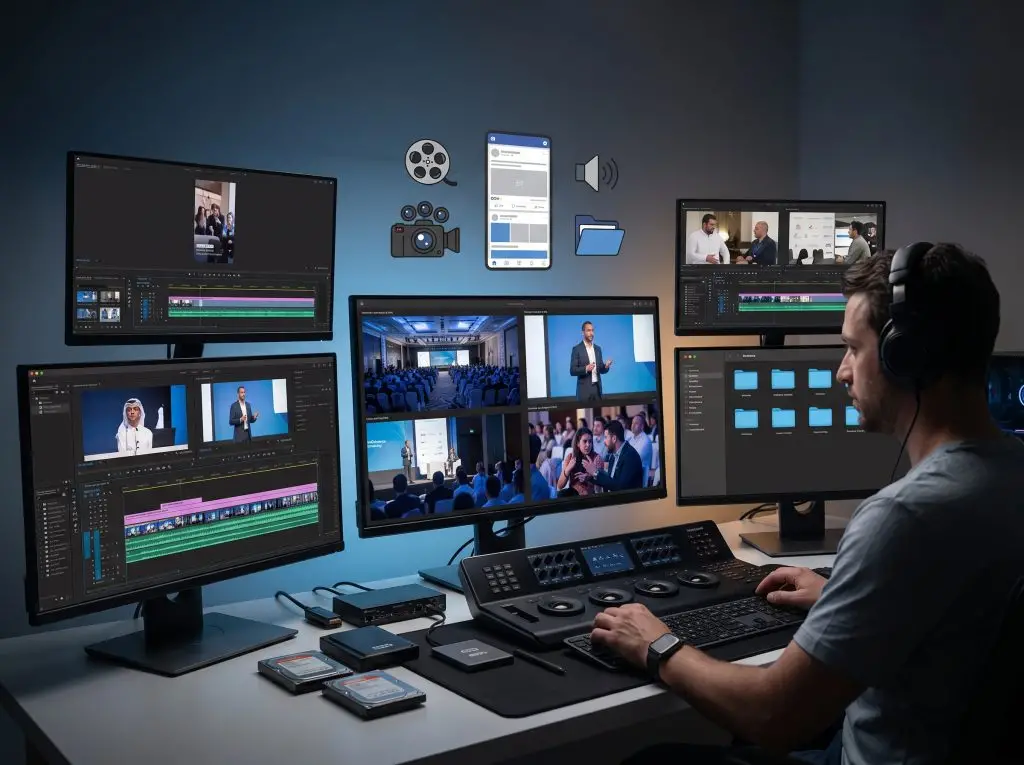
A single event recorded from multiple angles produces far more raw material than most teams ever use. Once the main highlight video is delivered, hours of usable footage often sit untouched on a hard drive, never opened again.
Repurposing footage from a multi-camera event setup means turning that raw coverage into a working content library of marketing clips, internal training material, sponsor recaps, and social posts, long after the event itself has wrapped. For businesses across the UAE running conferences, product launches, and large-scale gatherings, this approach stretches the value of a single production far beyond the day it was filmed.
Getting there starts with how the footage is captured in the first place. Events shot with a coordinated multi-camera setup give editors real options later: wide crowd shots, tight speaker angles, and cutaways to audience reactions that a single fixed camera simply cannot provide.
Most of what a business needs for months of future content already exists somewhere in those original camera files, it just has not been pulled out, trimmed, and put to work yet. The sections below walk through the most common ways raw multi-camera coverage gets a second life once the event wraps up.
Table of Contents
ToggleFrom Full-Length Recording to a Usable Highlight Reel
The first and most obvious form of repurposing is trimming a two-hour recording into a two-minute reel. But a good highlight reel is less about cutting length and more about finding a narrative: an opening moment, a peak reaction, a closing shot that sums up the room. This is where a multi-angle setup pays off, since editors can cut between angles to keep pacing tight instead of relying on one static wide shot for the whole sequence.
A well-built reel also becomes the base asset that most other repurposing formats are built from, so it is usually worth finishing first. The color grading, pacing, and music choices made for it often carry over into shorter cuts, keeping everything that follows visually consistent.
Cutting Short-Form Clips for Social Media
Long-form recordings rarely get watched in full on social platforms, but a 20-second clip of a strong quote, a product reveal, or a candid audience reaction performs far better. Reviewing the raw multi-camera timeline specifically for these moments, rather than only pulling from the finished highlight reel, usually turns up material that would otherwise be discarded.
Vertical crops for stories and reels, subtitled clips for silent autoplay feeds, and a few horizontal cutdowns for longer platforms can all come from the same source footage without any new filming. Brands that regularly produce influencer-style content tend to treat the event shoot as a clip bank from the start, tagging strong moments during the edit so they are easy to find later.
Repurposing Speaker Sessions into Internal Training Content
Conference talks and panel discussions often have a shelf life well beyond the event itself. A well-recorded keynote or breakout session can be trimmed, chaptered, and repackaged as onboarding material, internal training, or a resource library for staff who could not attend in person. Splitting a long session into shorter, topic-based segments also makes it easier to skim to the ten minutes that are actually relevant.
This works best when the original coverage included clean audio and a stable angle on the speaker, which is one of the reasons companies investing in corporate event photography often see more long-term value from the footage than they initially expect.
Blending Aerial Shots into Ground-Level Coverage
Wide establishing shots of a venue, a full crowd, or an outdoor setup add scale that ground-level cameras cannot always capture on their own. When aerial coverage is filmed alongside the standard multi-camera setup, those overhead angles become useful cutaways for almost every repurposed format above: a strong opener for a highlight reel, a scale-setting shot in a sponsor recap, or an establishing frame in a social clip. Drone footage in the UAE is subject to specific licensing rules, so it is worth confirming this coverage was captured properly before relying on it for any public-facing edit.
Turning Interviews and Crowd Shots into Sponsor Recaps
Sponsors and partners usually want proof that their branding, signage, and activations were visible and well received, something a single highlight video rarely shows in enough detail. Pulling wider crowd shots, booth interactions, and branded moments into a dedicated recap video gives sponsors a clearer picture of their presence at the event, down to how long a logo stayed on screen or how busy an activation looked throughout the day.
This kind of recap tends to be more useful for renewal conversations the following year than the main highlight reel, since it focuses on measurable visibility rather than atmosphere alone.
Extending the Reach of Live-Streamed Sessions
Events that are streamed live already have a recorded backup by default, and that recording is often underused once the stream ends. Segmenting a session recorded during hybrid event switching into standalone chapters, such as a keynote, a Q&A, or a panel, makes it easier for people who missed the broadcast to find the specific part they care about, rather than scrubbing through a multi-hour recording.
Organizing Footage So It Is Easy to Reuse Later
None of the formats above are possible if the raw footage is hard to find six months down the line. A simple folder structure by camera angle, date, and session name, paired with a short log of timestamped highlights, saves significant editing time on every future project that pulls from the same footage. It is also worth deciding early what gets archived long-term versus deleted after the immediate deliverables are finished, since raw multi-camera files add up quickly in storage terms.
Most of this only works smoothly when the original shoot was planned with reuse in mind rather than treated as a one-off deliverable .Dubai Fotographer approaches multi-camera event coverage this way by default, capturing wide, mid, and detail angles that give clients a genuine library to draw from rather than a single finished video with nothing usable behind it.
Repurposing multi-camera event footage is less about extra filming and more about looking at what was already captured with a different set of goals in mind. A recording made for one highlight video can quietly become a training resource, a sponsor report, a season of social clips, and a searchable archive, all from the same event day. The teams that get the most out of their event coverage tend to be the ones who plan for that second life before the cameras even roll.
Frequently Asked Questions
What is multi-camera event footage used for besides the main highlight video?
It can be repurposed into social clips, training material, sponsor recaps, and internal archives.
How long should a business keep raw event footage before archiving it?
Most teams keep raw files accessible for at least a year in case new requests come up.
Can event footage be repurposed for social media without reshooting anything?
Yes, reviewing the original multi-camera timeline for strong moments is usually enough to build clips.
What file formats work best for long-term event footage archiving?
Widely supported formats like MP4 or MOV, alongside a labeled backup of the raw camera files, work well.
Does repurposing existing footage require a large additional editing budget?
It is usually far lower than a fresh shoot, since the main cost is editing time rather than production.